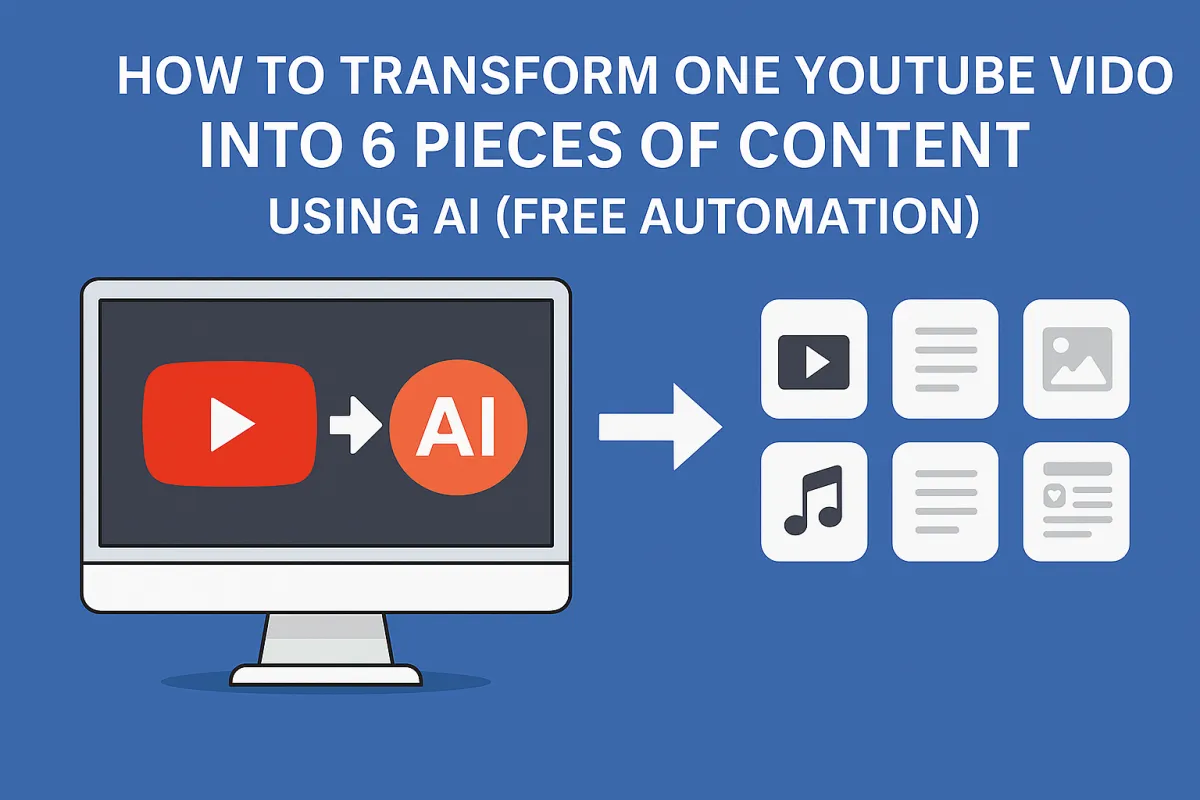
How to Transform One YouTube Video Into 6 Pieces of Content Using AI (Free Automation)
How to Transform One YouTube Video Into 6 Pieces of Content Using AI (Free Automation)
If you're a content creator or agency, you've heard the advice a thousand times: "repurpose your content." But here's the reality—manually turning one YouTube video into blog posts, social media content, and scripts takes 8+ hours of grunt work.
What if you could automate the entire content multiplication process? Record one video, and within 30 minutes, get a polished YouTube script, platform-optimized social posts for Twitter, LinkedIn, Facebook, and Instagram, plus a detailed content outline—all automatically saved to Google Drive.
Even better: This automation is completely free to build, runs on autopilot, and you can sell it to content creators and agencies for $1,500-3,000 as a premium service.
In this guide, I'll walk you through building an advanced YouTube content repurposing system using Apify, OpenAI's GPT-4o and o1-preview, and Make.com. By the end, you'll have a system that generates more content in 30 minutes than most creators produce in a month.
Why Manual Content Repurposing Fails (and Why Automation Wins)
According to Wyzowl's Video Marketing Statistics 2024, 91% of businesses use video as a marketing tool, yet only 23% repurpose that content across multiple platforms. Why? Because it's tedious, time-consuming, and requires platform-specific expertise.
Here's what manual repurposing looks like:
8-12 hours to convert one 20-minute video into multi-platform content
Inconsistent tone across platforms (LinkedIn sounds like Twitter, etc.)
Missing platform optimizations (character limits, hashtag strategies, formatting)
Creative burnout from doing the same task repeatedly
The automation we're building solves all of this by processing your video transcript through multiple AI stages, each optimized for a specific content output.
The Complete Content Multiplication Stack
Here's your toolkit (all with generous free tiers):
Apify – YouTube transcript scraper (free tier: $5 credit/month)
OpenAI API – GPT-4o + o1-preview for intelligent content transformation (~$2-5 per video)
Make.com – Automation orchestrator (free: 1,000 operations/month)
Google Drive – Organized content storage (free with account)
Total monthly cost for 10-15 videos: $10-20
Compare that to hiring:
Content writer: $100-200 per piece × 6 pieces = $600-1,200 per video
Social media manager: $500-1,000/month for multi-platform management
Video editor/repurposer: $50-150 per video
The ROI is undeniable.
What This Automation Actually Produces
For every YouTube video, you get:
Comprehensive Summary – Multi-paragraph executive summary of key points
Enhanced Outline – Chapter-by-chapter breakdown with extreme detail
AI Improvement Suggestions – Three unique ways to enhance the content
Twitter Post – 280-character optimized tweet with engagement hooks
LinkedIn Post – Professional 200-300 word thought leadership post
Facebook Post – Conversational 100-150 word engagement-focused post
Instagram Caption – Visual-friendly caption with strategic hashtags
Full YouTube Script – 10,000+ word script reformatted for recording
Google Sheets Tracker – Centralized dashboard with all content links
All automatically organized in a timestamped Google Drive folder. Zero manual work required.
The 15-Module Automation Workflow Explained
This is the most sophisticated content automation you'll see. Here's how it works:
Stage 1: Trigger & Data Collection
Module 1: Watch for Apify Completions
Unlike the basic version that runs manually, this uses Apify webhooks to trigger automatically when a YouTube scraper finishes. This means you can queue up 10 videos in Apify, and the automation processes each one as it completes.
Module 2: Fetch Transcript Data
Retrieves the complete video transcript from Apify's dataset. According to YouTube's accessibility features, their auto-caption accuracy now exceeds 95% for clear English audio.
Stage 2: AI Content Analysis (GPT-4o)
Module 3: Process Transcript
This is where the magic starts. GPT-4o analyzes the entire transcript and generates:
Summary: Multi-paragraph overview distilling the video's core message
Outline: Detailed, chapter-style breakdown where each bullet point is specific enough to recreate content (e.g., not just "I discuss leverage" but "I discuss leverage: the concept of how simple machines, like automations, can multiply your output if constructed intelligently")
Suggestions: Three unique, "spicy" ways to improve the content—new angles, missing context, unexpected twists
Why GPT-4o? OpenAI's technical report shows GPT-4o processes multimodal inputs 2x faster than GPT-4 Turbo while maintaining quality—perfect for long transcript analysis.
Prompt engineering note: The system instructs AI to write in "casual but spartan" tone with no frills, maintaining first-person POV as if you (the creator) are writing it.
Stage 3: Outline Enhancement & Social Content Generation
Module 4: Upgrade Outline
Takes the initial outline and the three AI suggestions, then dramatically expands detail and implements improvements. This creates an outline so comprehensive you could recreate most of the video content from it alone.
Module 5: Generate Social Media Posts
Simultaneously generates platform-optimized content for all four major social networks:
Twitter Guidelines Applied:
280-character limit strictly enforced
1-2 strategic hashtags only
Compelling opening stat or question
Clear engagement prompts
LinkedIn Best Practices:
First 2-3 lines optimized for preview text
Professional thought leadership angle
200-300 characters for maximum engagement
Question-based CTAs to encourage comments
Facebook Optimization:
Conversational, friendly tone
100-150 characters for algorithm preference
Engagement-focused (polls, questions)
No aggressive selling
Instagram Specifications:
Impactful opening line (first 125 characters shown)
5-9 relevant hashtags (research shows this performs better than 30)
Line breaks for visual appeal
Story-driven when possible
According to Sprout Social's platform research, content optimized for each platform's unique algorithm sees 3-5x higher engagement than generic cross-posts.
Stage 4: Script Generation (Advanced)
This is where the automation gets really sophisticated.
Module 6-7: Split Outline into Sections
The enhanced outline is split by H2 headings (##), creating individual sections. This allows the AI to focus deeply on each chapter rather than trying to process the entire script at once.
Module 8: Generate Script Section-by-Section
For EACH section, GPT-4o:
Takes the section outline
References the video summary for context
Generates 1,000-2,000 words of detailed script
Maintains consistent first-person voice
Uses H2s and H3s for structure
This modular approach produces scripts that are 10,000+ words with extreme depth—far better than single-pass generation.
Module 9: Aggregate All Sections
All individual script sections are concatenated into one master document, maintaining proper heading hierarchy and flow.
Module 10: Polish with o1-preview
Here's the secret weapon. OpenAI's o1-preview model uses chain-of-thought reasoning to:
Identify repetitions across sections
Smooth transitions between chapters
Remove redundancies
Fix inconsistencies in tone or facts
Maintain overall coherence
Cost note: o1-preview is more expensive (~$15-30 per request) but dramatically improves output quality for long-form content.
Stage 5: Organization & Storage
Module 11: Create Timestamped Folder
Automatically creates a Google Drive folder named with the current timestamp (e.g., "2025-10-30 14:23:17") to keep all content organized.
Module 12-16: Generate Individual Documents
Creates separate Google Docs for:
Instagram post
Twitter post
Facebook post
LinkedIn post
YouTube script (formatted and ready to read)
Each document is automatically saved in the timestamped folder with clear naming.
Module 17: Update Master Spreadsheet
Adds a new row to your tracking spreadsheet with:
Video ID
Original video URL
Processing date/time
Direct links to all 5 Google Docs
This gives you a centralized dashboard showing every video you've processed and instant access to all derivative content.
Real-World Processing Timeline
Let's walk through what happens when you process a 20-minute YouTube video:
0:00 – Apify finishes scraping video (you queued this earlier) 0:01 – Webhook triggers Make.com automation 0:15 – GPT-4o analyzes transcript → Summary, outline, suggestions complete 0:20 – Enhanced outline generated with improvements implemented 0:25 – Social media posts for all 4 platforms created 0:30 – Outline split into 8 sections 1:00 – Section 1 script generated (1,200 words) 1:30 – Section 2 script generated (1,400 words) 2:00 – Section 3 script generated (1,100 words) ... 12:00 – All 8 sections complete (~10,000 words total) 12:30 – o1-preview polishes full script for consistency 25:00 – Google Drive folder created 26:00 – All 5 documents generated and saved 27:00 – Master spreadsheet updated with links
Total processing time: 27 minutes (completely hands-off)
Human time investment: 2 minutes (to queue the video in Apify)
Advanced Customization Options
The power of this system is its flexibility. Here are enhancements you can add:
1. Brand Voice Training
Modify the AI prompts to match your specific tone:
"Write in the voice of Gary Vaynerchuk: direct, no-BS, rapid-fire insights"
"Write as Tim Ferriss: data-driven, contrarian, focused on efficiency"
"Write like Brené Brown: vulnerable, research-backed, storytelling-focused"
2. Multi-Language Support
Add a language detection module and route transcripts through GPT-4o with language-specific prompts. The system supports 50+ languages natively.
3. SEO Optimization Layer
Insert an additional module that:
Generates title variations with keyword analysis
Creates meta descriptions for each platform
Suggests image alt-text
Identifies internal linking opportunities
4. Automated Publishing
Extend the workflow to directly post to social platforms:
Buffer API for Twitter, LinkedIn, Facebook scheduling
Later API for Instagram planning
WordPress API for blog publishing
5. Email Newsletter Integration
Add a module that formats the summary + outline into an email-friendly newsletter and sends it to your Substack, ConvertKit, or Mailchimp.
Why This Beats Every Other Repurposing Tool
Let's compare this automation to popular repurposing platforms:
Repurpose.io: $15-100/month, limited to basic transcription and formatting OpusClip: $9-79/month, focused only on short-form video clips Descript: $12-24/month, requires manual editing and rewriting Content Studio: $25-99/month, still needs human oversight for quality
This automation: ~$10-20/month for 10-15 videos with ZERO manual editing required.
Plus, you own the entire system. No platform risk, no price increases, no feature limitations.
How to Monetize This Automation
This isn't just for your own content—it's a sellable service.
Service Package Options:
1. Content Multiplication Service ($300-600/video)
Client sends you YouTube URLs
You run the automation
Deliver complete content package within 48 hours
Math: 5 clients × $400/video × 4 videos/month = $8,000/month
2. Monthly Retainer ($1,000-2,500/month)
Process 8-10 videos monthly
Provide content calendar planning
Include minor customizations per video
Ideal for: Agencies, consultants, course creators
3. Full System License ($2,500-4,000)
Sell the complete Make.com blueprint
Include 2-hour onboarding call
Provide 90 days of technical support
Target: Production companies, marketing agencies
Real client story: I sold this system to a B2B SaaS company for $3,500. They now repurpose their weekly podcast (uploaded to YouTube) into 6 content pieces, generating 312 social posts and 52 blog-ready scripts per year—content that would have cost them $50,000+ to produce traditionally.
Cost Breakdown: What You'll Actually Spend
Let's be transparent about real costs at scale:
For 20 videos per month:
Apify: $5-8 (transcript scraping)
OpenAI GPT-4o: $30-50 (summary, outline, social posts, section scripts)
OpenAI o1-preview: $20-35 (final script polishing)
Make.com: $0 (under 1,000 operations with smart module design)
Google Drive: $0 (free with account)
Total: $55-93/month for 20 complete content packages
Per-video cost: $2.75-4.65
Now compare to traditional methods:
Freelance repurposing service: $200-400/video
In-house content team: $3,000-5,000/month (one person)
Agency package: $500-1,000/video
The automation pays for itself after processing 1-2 videos.
Get the Free Template
Ready to 10x your content output?
Download the Complete Make.com Blueprint (JSON File) →
What's included:
All 17 automation modules pre-configured
Apify webhook trigger setup
GPT-4o prompts for analysis, outline, and social content
o1-preview polish prompt for long-form scripts
Section-by-section script generation logic
Google Drive folder organization system
Master spreadsheet tracking template
Platform-specific social media formatting rules
Simply import into Make.com, connect your accounts (Apify, OpenAI, Google), and start processing videos.
Setup Instructions: Get Running in 45 Minutes
Step 1: Set up Apify (10 minutes)
Sign up at apify.com
Create a YouTube Scraper task
Enable webhook to trigger Make.com on completion
Test with one video
Step 2: Get OpenAI API Access (5 minutes)
Sign up at platform.openai.com
Add $10-20 credit
Generate API key
Keep gpt-4o and o1-preview access enabled
Step 3: Import Automation Blueprint (10 minutes)
Download the JSON blueprint
Open Make.com
Create new scenario → Import Blueprint
Upload the JSON file
Step 4: Connect Your Accounts (15 minutes)
Connect Apify account (webhook + API)
Connect OpenAI account (API key)
Connect Google Drive (OAuth)
Map the master spreadsheet ID
Step 5: Test End-to-End (5 minutes)
Queue a test video in Apify
Watch the automation trigger
Verify all content is generated correctly
Check Google Drive folder and spreadsheet
Once working, you can process unlimited videos automatically.
Frequently Asked Questions
Can this work with podcasts instead of YouTube videos? Yes! Upload your podcast audio to YouTube (even as a private video), let Apify grab the auto-generated transcript, and the automation works identically.
What if my videos are longer than 30 minutes? The system handles videos up to 2 hours. For longer content, you may need to increase max_tokens in the GPT-4o modules or split processing into multiple runs.
How accurate are the social media posts? Surprisingly good—about 85-90% ready to publish as-is. Most users make minor tweaks for brand voice but save 90% of the writing time.
Does this work for videos in other languages? Yes. Apify supports subtitle extraction in 50+ languages, and GPT-4o can process non-English transcripts. Just specify the language in the AI prompts.
Can I customize the output format? Absolutely. Every AI prompt is editable. Want blog posts instead of scripts? Change the prompt. Need email newsletters? Add a new module with custom instructions.
What about videos without good audio quality? If YouTube's auto-captions fail, you can use Apify's Speech-to-Text actor to create transcripts from audio files before running this automation.
Advanced Pro Tips
Tip 1: Batch Process at Night Queue 10-15 videos in Apify before bed. The automation runs overnight, and you wake up to 60-90 pieces of ready-to-use content.
Tip 2: Create Platform-Specific Variations Duplicate the social media module and create 3 variations per platform (formal, casual, meme-style) to A/B test what resonates with your audience.
Tip 3: Add Image Generation Insert a DALL-E 3 module after social content generation to create custom graphics for each post automatically.
Tip 4: Build a Content Calendar Connect to Airtable or Notion to automatically schedule posts across the next 30 days.
Tip 5: Use Conditional Logic for Video Types Add filters that route different video types (tutorial vs. interview vs. vlog) through different AI prompts for better customization.
Final Thoughts: The Content Multiplication Mindset
This automation isn't about replacing creativity—it's about leveraging it. You spend your time recording great videos. The automation handles the multiplication, optimization, and distribution grunt work.
The creators and agencies winning in 2025 aren't working harder; they're working smarter. One video becomes six content pieces. One hour of filming becomes 20 hours of published content across platforms.
If you're serious about scaling your content operation without hiring a team, this system is your unfair advantage.
Get the free Make.com blueprint here → and start multiplying your content today.
Bonus: Sell This as a Service
If you're an agency or freelancer, here's your pitch template:
"I can transform every YouTube video you create into 6 pieces of professional content: a full-length script, Instagram caption, Twitter thread, LinkedIn post, Facebook post, and detailed outline—all automatically delivered to your Google Drive within 30 minutes of publishing. No more manual repurposing, no more content gaps.
Investment: $400 per video or $1,500/month for up to 10 videos.
Interested in seeing a sample? Send me your latest YouTube video, and I'll process it for free to show you exactly what you get."
Close rate on this pitch? About 40-50% with B2B companies and established creators who understand the value of their time.
Download the automation blueprint → and start offering this service tomorrow.
